Picking tile is hard when you can’t see it. A customer holds a small sample, squints, and tries to imagine it stretched across a whole bathroom floor. Plenty give up and walk out, or close the tab. A tile visualizer closes that gap. It lets shoppers preview your products in a real room before they buy, which is exactly why more manufacturers and retailers are adding one.
This guide covers what a tile visualizer is, how it works, the features that actually matter, and what it does for your business. If you’d rather see it live, our tile visualization solution shows the AR and 3D version built for tile.
What is a tile visualizer?
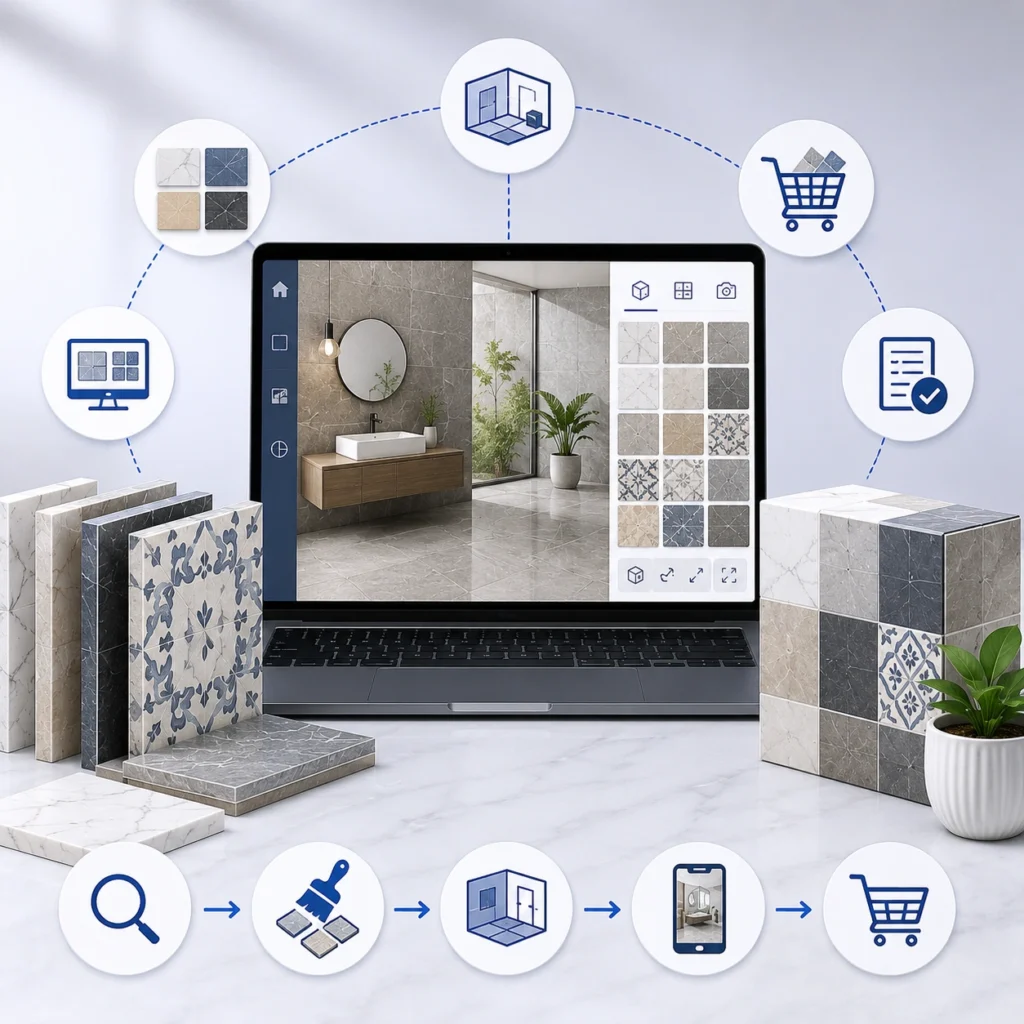
A tile visualizer is an online tool that shows how your tile will look in a real space before someone buys. The shopper picks a product, drops it onto a room scene, and the tool renders it with realistic color, texture, and grout lines.
Think of it as a fitting room for tile. Instead of guessing from a 4 by 4 chip, the customer sees the full effect: floor, wall, backsplash, whatever they’re planning.
How does a tile visualizer work?
Under the hood, most visualizers do three things. They map the surfaces in a room, apply your tile to those surfaces at the right scale, and render the result so it looks believable.
Some use ready made room scenes the shopper chooses from. Others let people upload a photo of their own kitchen or bathroom. The more advanced ones add AR, so a customer points a phone at the floor and watches your tile appear in their actual space, live.
Grout color, tile size, layout direction, most of it can be adjusted on the fly. That’s the part shoppers love. They get to play. Picture someone redoing a bathroom: they drop a marble look porcelain onto the floor, switch the grout from gray to white, rotate the pattern, and suddenly the decision feels obvious.
Types of Tile Visualizers
Not all visualizers are the same. They fall into three rough buckets.
| Type | Best For | Pros | Limitations |
| 2D | Quick previews | Fast & lightweight | Less realistic |
| 3D | Product pages | Realistic lighting & depth | More processing |
| AR | Mobile shoppers | View tile in actual room | Device dependent |
- 2D Tile Visualizer: 2D visualizers overlay your tile onto a flat room photo. Simple, fast, cheap to run. The catch is they can look a little flat, since they don’t handle depth or lighting well.
- 3D Tile Visualizer: 3D visualizers place tile into a modeled room scene. Lighting, perspective, and grout lines read as realistic, so the preview lands close to the finished job.
- AR Tile Visualizer: AR is the newest layer. It uses the phone camera to put your tile into the customer’s own room in real time. Great for confidence, though it asks more from both the software and the shopper’s device.
Most serious tile brands end up combining them: 3D scenes on the product page, AR for the shoppers who want to see it at home.
5 Key Features of a Modern Tile Visualizer
A basic visualizer slaps a tile on a wall. A good one earns sales. These are the features worth holding out for:
- No app required: A web based 3D visualizer that runs in the browser means shoppers use it the second they’re curious. Forcing an app download kills that momentum.
- True view in your room AR: Letting customers see tile through their phone camera, in their actual space, is what turns hesitation into a yes.
- Photorealistic rendering: Accurate color, texture, and grout lines matter more than they sound. If the render lies, you get returns.
- Comparison and saving: Shoppers rarely settle on the first try, so side by side comparison and saved scenes let them mull it over and come back.
- Catalog integration: The visualizer should pull from your live product catalog and lead straight to add to cart. A preview that doesn’t connect to checkout is just a missed sale dressed up nicely.
Why Every Tile Business Needs a Tile Visualizer?
So why bother? The payoff shows up fast, and from a few directions.
Fewer returns. When someone sees the tile in context, they order what they actually want, so mismatched and regretted purchases drop. In a category where returns are heavy and shipping tile is costly, that alone can justify the build.
Faster decisions. Visualizing cuts the back and forth: the mailed sample, the second showroom trip, the “let me think about it.” People commit sooner.
More engagement. Shoppers linger when they can swap layouts and grout colors, and longer sessions tend to convert better. Pair the tool with your ecommerce storefront so that interest flows straight into a sale.
It also works across different buyers. A homeowner uses it to feel sure. A designer uses it to sell a concept to a client. A contractor uses it to sanity check a spec before ordering a pallet. Same tool, three different wins.
For manufacturers, there’s an extra angle. Give your dealers and retail partners the same visualizer and you lift the whole channel, not just direct sales.
Things to Consider Before Choosing a Tile Visualizer
A visualizer isn’t a magic button. A few honest caveats.
It’s only as good as your product data. Bad texture scans or wrong dimensions produce previews that mislead, and that erodes trust quickly. This is where accuracy upstream pays off. When your inventory system tracks the right lots and finishes, the visualizer shows what customers can actually buy.
Render quality varies a lot. Cheap tools cut corners on lighting and scale, and the result looks fake. Customers notice, and a fake looking preview is worse than none.
Integration is the real work. Connecting the visualizer to your catalog, pricing, and stock is where most of the effort sits. Skip it and you’ve built a toy, not a sales tool.
And someone has to maintain it. New collections need new textures and scenes. Plan for that upkeep, or the tool slowly goes stale.
How to Choose the Right Tile Visualization Solution?
You’ve got two paths. Build it in house, or partner with a team that already does tile.
Building from scratch means hiring 3D and AR talent, sourcing or scanning textures, and maintaining everything as collections change. Doable, but slow and pricey, and tile has quirks most generic developers miss.
Partnering gets you there faster, particularly with a team that understands shade variation, grout, and how tile actually renders. The right partner also handles the hard part: wiring the visualizer into your catalog, pricing, and inventory so it drives real orders.
Either way, insist on catalog integration from day one. A pretty viewer that doesn’t reach checkout is decoration.
Final thoughts
A tile visualizer turns the hardest part of buying tile, picturing it, into something a customer can simply see. Done right, it trims returns, speeds up decisions, and makes your catalog the one people trust. Done cheaply, it’s a gimmick that misleads. The difference comes down to render quality, real catalog integration, and an AR option for shoppers who want to view tile at home. If you sell tile online, this is becoming table stakes rather than a nice extra.
Thinking about adding a tile visualizer to your site? Tile IT Solutions builds web based 3D and AR visualization for tile, flooring, and building materials brands, wired into your real catalog. Book a demo and we’ll show you what it looks like with your own products.
FAQs
1. What is a tile visualizer in simple terms?
It’s an online tool that shows how your tile will look in a real room before someone buys. They pick a product, apply it to a room scene and see a realistic preview.
2. How much does a tile visualizer cost to add?
It depends on scope. A basic 2D overlay is cheap. A 3D and AR tool tied into your catalog and inventory is a bigger build, but it’s also the one that drives sales. Most of the cost is integration, not the viewer itself.
3. Do customers need to download an app?
Not for a good one. A web based visualizer runs in the browser, and AR usually works through the phone camera with no app at all. That matters, since downloads scare people off.
4. Does a tile visualizer reduce returns?
It tends to. When buyers see tile in context instead of guessing from a sample, they order what they actually want, so regretful purchases and mismatches drop.
5. Can it work with my existing product catalog?
Yes, and it should. A proper visualizer pulls from your live catalog and connects to add to cart, so the preview leads straight to a sale.