
Tile isn’t like other products. A single collection can spawn hundreds of SKUs once you factor in size, finish, thickness, shade batch, and grade. Most ecommerce platforms weren’t built for this. Buyers get confused, dealers order the wrong lot, and the warehouse ends up cleaning up after the storefront. Getting variants right is the difference between a catalog people can actually shop and a data mess that eats your team’s time.
This guide walks through how to structure, display, and sync complex tile variants inside a modern tile ecommerce solution.
Why Tile Product Variants Are Difficult to Manage in Ecommerce
Most platforms assume variants are simple. Small, medium, large. Red, blue, green. Tile doesn’t work that way.
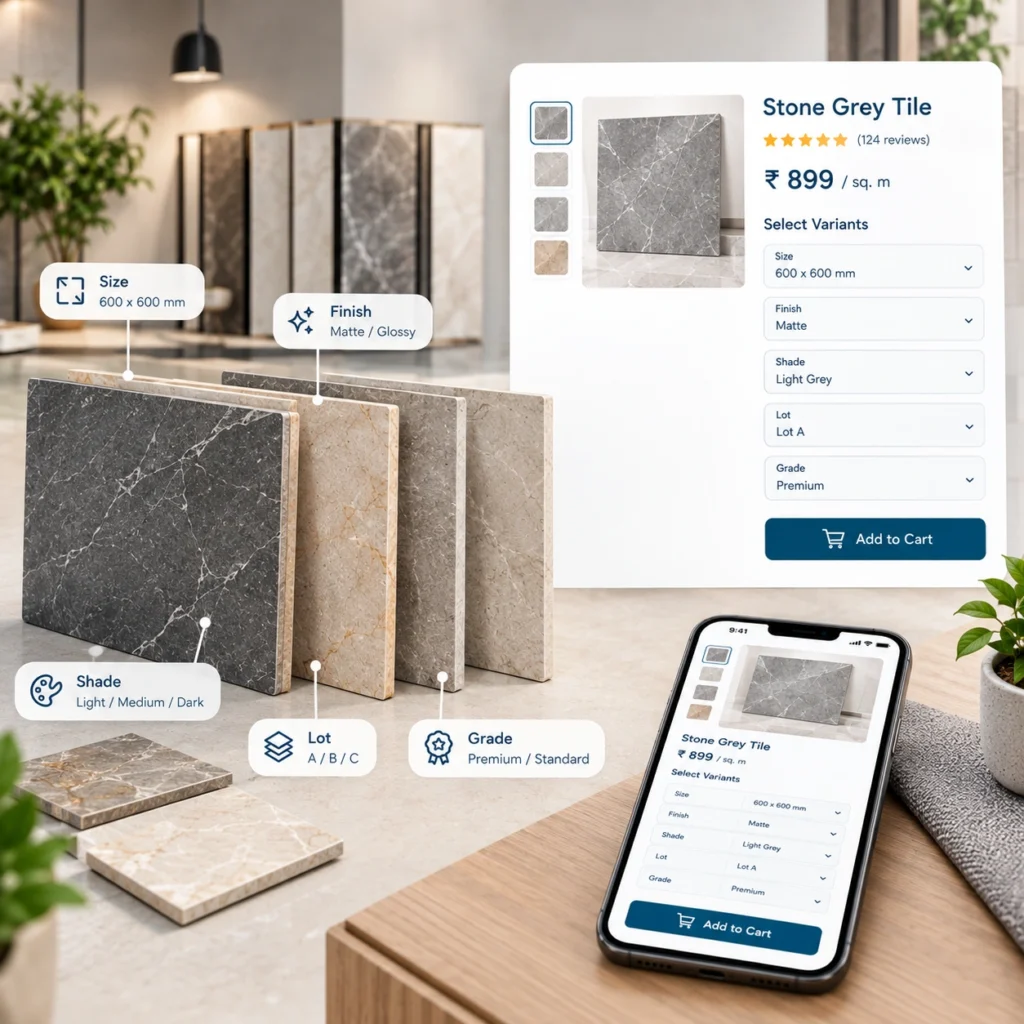
A porcelain wall tile might come in 4 sizes, 3 finishes, 2 thicknesses, 6 shade batches, and 2 grades (first quality and seconds). That’s 288 possible combinations from one product. Multiply across a full collection and you’re past what a default Shopify variant limit or a generic WooCommerce setup can hold cleanly.
The problem isn’t just count. It’s meaning. A buyer picking size cares about coverage math. A dealer picking shade cares about dye lot consistency across a project. A warehouse picking grade cares about whether that box is a downgrade heading to clearance or a full-price SKU. Each variant dimension is doing different work for a different person.
If your storefront treats all variants the same, all three of those people end up frustrated.
Key Tile Product Variants to Structure in Ecommerce
Not every attribute belongs in the shopper’s face. Some drive filtering. Some drive pricing. Some sit quietly in the ERP. Knowing which is which keeps the product page from becoming a wall of dropdowns.
1. Tile Size and Format
The most visible variant. Buyers filter on it, calculate coverage from it, and expect pricing to shift with it. Structure sizes as a hard attribute (not free text), use a consistent unit format, and store both the display size (60×60 cm) and the coverage per box (1.44 sqm) as separate fields. That way calculators, filters, and pricing all read from the same source.
2. Tile Finish
Matte, polished, honed, textured, lappato. Treat finish as a filterable attribute with its own image swatch. Buyers shop visually here. A dropdown labeled “finish” with text options loses to a swatch strip every time.
3. Color, Shade, and Dye Lot
Two variants live inside this one word. The color family (beige, grey, taupe) is what buyers filter on. The dye lot or shade batch is what the warehouse tracks internally and what dealers care about for project consistency. Keep them separate in your data model. Show the color family on the product page. Expose the lot only where it matters: the cart, the order confirmation, and the dealer portal.
4. Tile Thickness
Often ignored on retail storefronts. Critical for commercial buyers and outdoor applications. If your catalog includes 20mm pavers alongside 9mm floor tile, thickness needs to be a first-class filter, not buried in the description.
5. Edge type
Rectified, pressed, chamfered. Sometimes it’s a filter, sometimes it’s just descriptive. Depends on your buyer. If contractors make up a large share of orders, expose it. If not, leave it in the spec table.
6. EI Rating and Caliber
These belong in the spec block rather than as shoppable options. They inform decisions but nobody picks a tile by caliber grade first. Show them clearly. Don’t make them variants.
7. Tile Grade and Quality
First quality, seconds, downgrades. This is a pricing and inventory dimension more than a shopping one. Most manufacturers hide seconds behind a dealer login or a dedicated clearance area. Whatever you do, don’t let seconds surface next to first quality in the default catalog view. Buyers won’t understand the price gap and dealers will be furious.
How to Structure Tile Product Data for Ecommerce
The data model is where these decisions get locked in. Getting it wrong here means every future feature (filters, pricing rules, ERP sync) gets harder. This section covers the choices that matter most.
1. Use Parent Products and Individual Tile SKUs
Every real tile SKU should exist as a standalone record in the system. That’s what the warehouse ships and what the ERP tracks. On top of that, group them into configurable or parent products so shoppers see one product page instead of 288. Magento calls these configurable products. Shopify handles it through variants plus metafields. WooCommerce does it through variable products. The naming differs. The concept is the same.
2. Create Attribute Sets for Different Tile Categories
Wall tile, floor tile, mosaics, slabs, and pavers don’t share the same attributes. A slab has thickness and slab dimensions but no coverage per box. A mosaic has sheet size and pieces per sheet. Build attribute sets per category so each product type gets the fields it actually needs. Skip the temptation to use one giant attribute set for everything. It looks tidy at first and becomes a nightmare in six months.
3. Use Product Attributes and Metafields for Tile Specifications
Water absorption, slip resistance, frost resistance, warranty, installation notes. These aren’t variants. They’re metadata. Store them in metafields (Shopify) or product attributes (Magento) and render them in a consistent spec table on every product page. Consistency here helps SEO and trust. Buyers scan spec tables. They notice when tiles have inconsistent data.
Improve Tile Ecommerce Search, Filters, and Product Navigation
A catalog with rich variant data is only useful if buyers can navigate it. Faceted search does the heavy lifting here. Layered navigation should let a shopper narrow by size, finish, color family, and application (floor, wall, outdoor, commercial) without page reloads or dead-end filter combinations.
Watch for a common mistake: filters that return zero products. If a shopper picks “60×60” and “polished” and gets nothing, the filter UI should show that combination as unavailable before the click, not after. Most modern search extensions handle this. Older setups don’t.
For very large catalogs, look at Algolia, Elasticsearch, or a purpose-built tile search layer. Native platform search struggles past 20,000 or 30,000 SKUs.
Sync Tile Inventory, SKUs, and Dye Lots With Your ERP
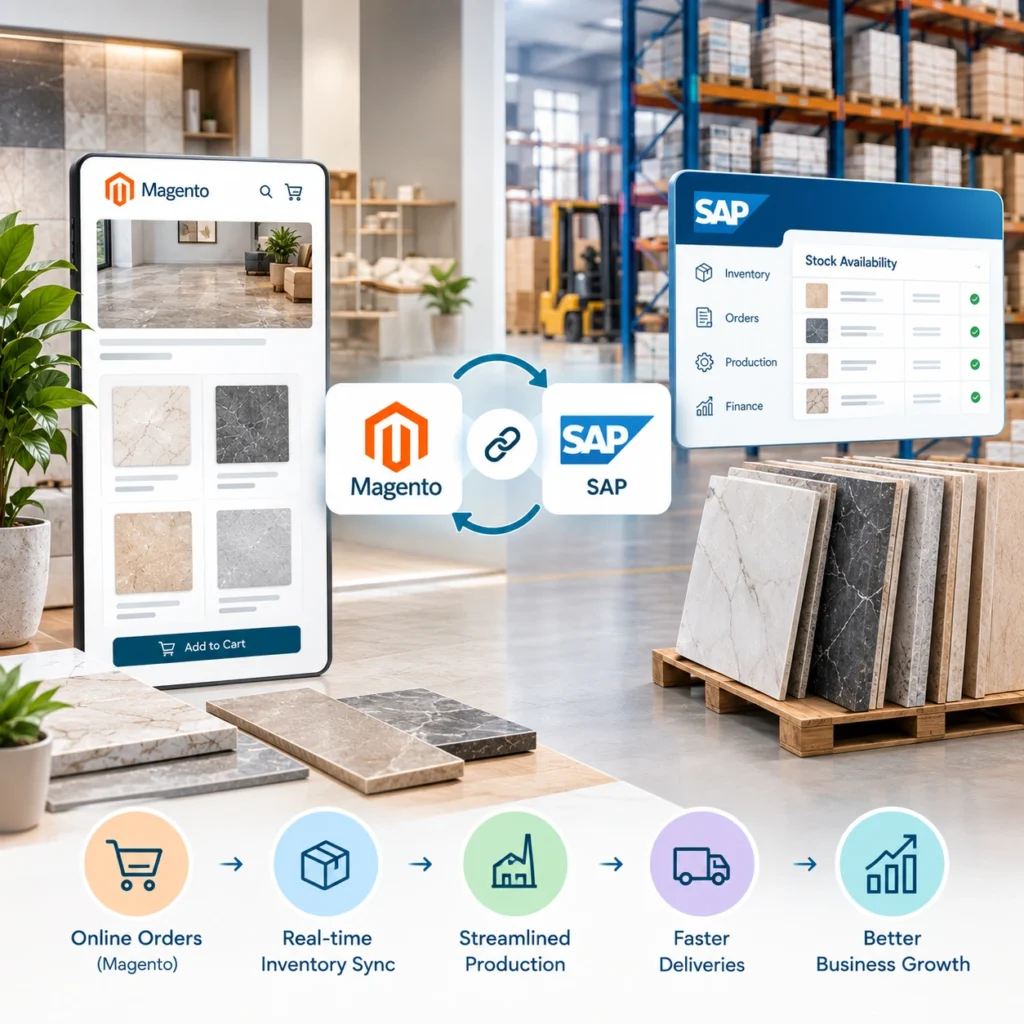
This is where storefronts and ERPs collide. Getting it right is what a real inventory management platform does behind the scenes.
Stock levels should sync at least every 15 minutes for a healthy store. Real-time is better for high-turn SKUs. When a shopper adds an item to cart, some manufacturers reserve stock at cart entry. Others reserve only at checkout. Reserving too early leads to phantom stock. Reserving too late causes oversells. There’s no universal answer. Pick based on your average cart-to-order time.
Lot reservation gets trickier. If a project buyer needs 40 boxes from the same dye lot, the cart needs to check that 40 boxes exist in one lot before letting the order through. This has to happen against live ERP data, not a nightly export.
How to Display Tile Variants on Ecommerce Product Pages
Structure matters as much as speed here. The product page should answer three questions fast: what does it look like, will it cover my space, and when can I get it.
Show finish and color as visual swatches at the top. Put size and thickness in a compact selector. Load the coverage calculator inline so buyers can enter square meters and see box count and price update instantly. Push spec tables, installation notes, and downloads below the fold.
For dealer accounts, show pricing tiers, dye lot availability, and quantity break discounts. Retail shoppers don’t need any of that. Same product page, different content based on who’s logged in.
How to Build a Scalable Tile Variant Management System
Variant management isn’t a one-time build. Every new collection you launch will test whether the model you set up holds. Set it up so a product manager can add a new tile without calling a developer. That’s the real test of whether you got the variant structure right.
Struggling with a variant model that keeps hitting walls? A one-hour catalog audit can pinpoint exactly where the structure is costing you sales or slowing down your team. Bring a sample SKU export and a screenshot of your current product page. Walk out with a clear plan for what to change.
FAQs
1. How many variants can Shopify handle for a single tile product?
Shopify caps at 100 variants per product by default. Shopify Plus with the new variant model raises this significantly, and metafields can extend it further. For tile catalogs, custom apps or a variant grouping strategy is usually needed.
2. Should dye lot be a shoppable variant?
Usually no for retail. Yes for dealers doing project orders. Most manufacturers expose lot selection only inside a logged-in dealer portal.
3. How do we handle tiles sold by the box vs by the piece?
Store both units on the product. Let buyers switch between them on the product page. The cart should always know the underlying unit for accurate stock deduction.
4. What about seconds and clearance tiles?
Keep them on separate catalog paths or behind a dealer login. Mixing them into the main catalog confuses buyers and hurts the perception of the first-quality line.
5. Does variant data affect SEO?
Yes. Rich attribute data feeds structured markup, faceted URLs, and long-tail search queries. A well-structured catalog with schema on every product ranks better than a flat one with 50,000 thin pages.