

Walk through any stone yard at closing time and ask the manager where one particular slab is. Half the time you’ll get a shrug, then a phone call, then someone heading out with a torch. That’s the real cost of poor slab tracking. Not the spreadsheet itself, but the hours people burn hunting for stone they already own.
Inventory Tracking for marble and granite slabs isn’t counted the same way as tile. Each slab, as a unique item, has its own veining, imperfections, and priced individually. When you’ve got more than a couple hundred slabs in stock you can’t do without a specialised inventory solution for tiles, but get the fundamentals right first! Here’s how a professional yard does this.
Why Marble and Granite Slab Inventory Needs Specialised Tracking
Regular stock systems count quantities. Slabs need identities. That one difference explains almost every tracking mess I’ve seen in stone businesses.
1. Why Tracking Individual Marble and Granite Slabs Matters
Say a designer wants the slab with the gold streak running left to right. Your system says you’ve got 47 pieces. Great, but which one? Without a record for each slab, the answer lives in someone’s head, and that someone goes on holiday.
2. The Hidden Costs of Poor Slab Inventory Management
Moraware, a software company serving countertop shops, puts it at roughly a third to half of direct costs tied up in slab inventory. So a slab that’s lost, damaged or sold twice isn’t a small slip. It’s cash walking out of the yard. The usual culprits:
- One slab promised to two customers
- Reserved stone quietly sold to a walk in
- Chips and cracks nobody wrote down
- Offcuts that sit in a corner for a year
Must Read: Hidden Costs of Poor Tile Inventory Management
How to Create an Inventory Record for Every Stone Slab
Everything else, labels, scanners, software, depends on this step. If the record is sloppy, a fancy system just helps you be wrong faster.
1. Assign a Unique ID
Choose an ID format and never change it. A common habit is supplier bundle number plus a running count, so the seventh slab of bundle 482194 becomes 482194-07. Don’t recycle numbers after a sale. Ever. Reused IDs are the reason audits turn into detective work.
2. Essential Details to Include
Reduce the number of fields until your staff will reliably complete them: Here’s a reasonable list: name of material and colour, thickness (2cm/3cm) finish, length, and width, bundle, or lot number supplier landed cost location current status and a picture. Eleven things sounds a lot, but each one is used to answer a question you get asked at least once a week. Don’t include anything that nobody searches for.
How to Use Barcode Labels, Photos and Scanning for Slab Tracking
A database entry is just text until it’s tied to the physical stone. Tags and photos do that job, and scanning keeps it honest.
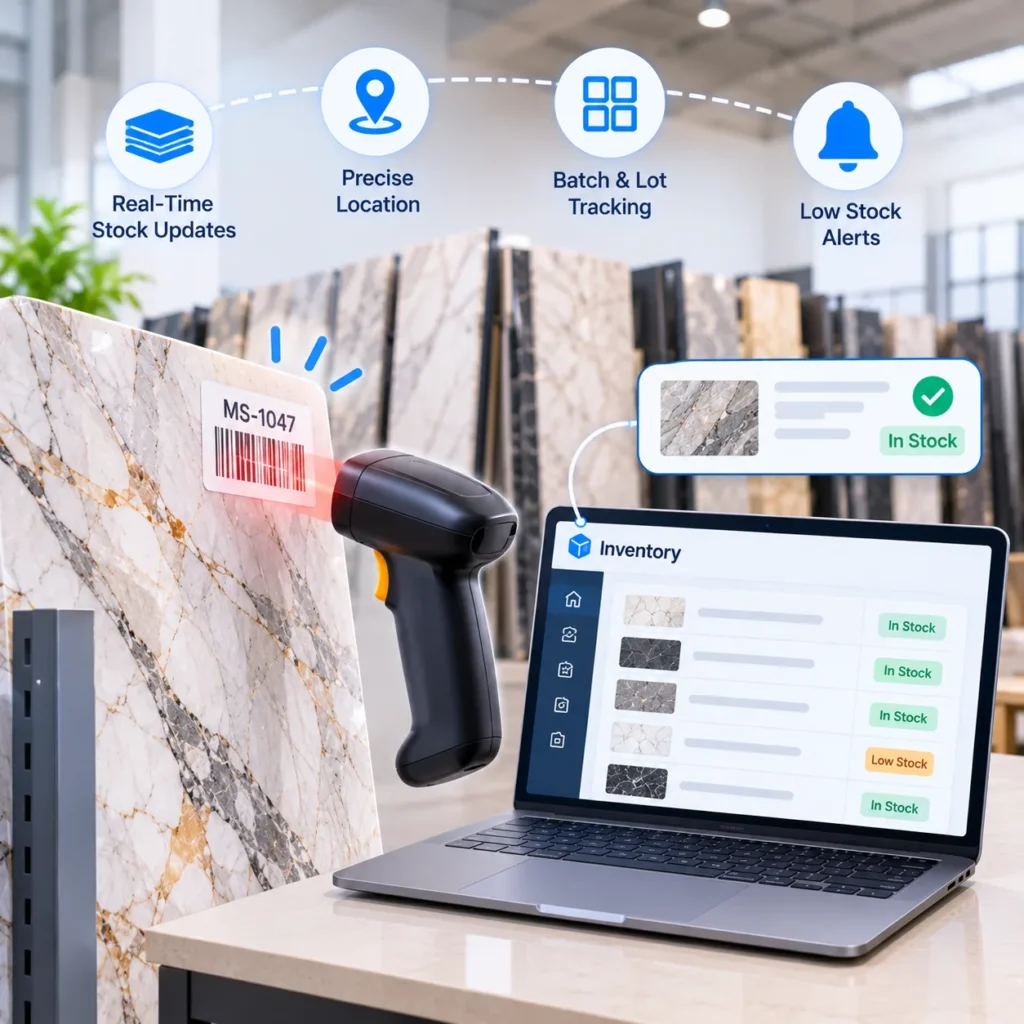
1. Use Durable Barcode or QR Code
Print the ID as a barcode or QR and affix it in the same corner of each slab. Always the same corner. We don’t stop searching until we know where to look. Regular old paper labels come off in damp weather, buy a little weatherproof stock.
2. Capture Slab Photos to Identify
One shot of the whole face in even light. A second close up of the veining or any flaw. Attach both to the ID. More buyers now choose stone from their phone before they ever visit, so the photo often does the selling for you. Go easy on filters though. If the slab looks different on site, you’ve lost trust.
3. Track Every Slab Movement
Receiving, racking, reserving, pulling for the saw, loading for delivery. Each of those gets a scan. And if a step has no scan, that’s exactly where slabs vanish. Barcode discipline works the same for tile: one wholesaler we worked with hit 90 percent inventory accuracy after moving to a barcode first warehouse, and you can read the details in that barcode integrated WMS case study. Tiles come in boxes and slabs come one by one, but the habit carries over.
How to Organise Marble and Granite Slab Storage Locations
You can have a perfect record and still lose the slab. Location data is the other half of tracking, and plenty of shops skip it.
1. Organise Slabs by Storage Zones, Racks and Slots
Split the space into zones, then racks, then numbered slots. Fast sellers like quartz go near the saw. Slow exotics can sit at the back. Record the spot as something short like B2-14 and update it the moment a slab moves, not at the end of the day.
2. Choose the Right Storage Conditions
Marble etches. Rain isn’t kind to it either. Stone Business magazine makes the point that if you’ve got indoor space, marble, travertine and onyx should go there. Granite is tougher and copes with yard racks fine in most cases.
3. Create a Dedicated Storage Area for Reserved Slabs
Reserved slabs get their own rack. Each one carries a work order. Nothing leaves without paperwork. It sounds fussy, but it stops the most expensive mistake in the trade.
How to Manage Slab Inventory Status, Reservations and Remnants
Location tells you where a slab is. Status tells you what’s allowed to happen to it. When the two disagree, somebody’s about to have a bad week.
1. Define Clear Inventory Statuses
Available, on hold, sold, in production, delivered, remnant. That’s enough. Changing a status should need a scan or a logged action, not a message in a WhatsApp group that nobody can find later.
2. Track Stone Remnants and Offcuts
After a cut, the leftover gets a fresh ID, size, photo and shelf, linked back to its parent slab. Vanity tops and small repairs use remnants all day long. One Moraware customer says waste fell by almost 18 percent once material was tracked this way. That’s a vendor testimonial, so take it as an example and not a guarantee. Still, an offcut nobody knows about is money sitting on a shelf.
Spreadsheet vs Inventory Software for Marble and Granite Slabs
Both can work. What matters is knowing when the first one stops being enough.
1. A sheet is fine for a while
Moraware itself admits that a shop with under a hundred slabs probably doesn’t have an inventory problem big enough for dedicated software. A shared sheet, printed labels and a strict routine can carry you through that stage. Routine beats tools.
2. Signs you’ve outgrown it
Two people edit at once and one overwrites the other. Reserved slabs still show as available. Physical counts never match the file. Sales staff walk to the yard to confirm stock before every quote. Hit two or three of those and it’s time to move.
Selling online raises the stakes. A catalog and ecommerce platform that reads live stock won’t list a slab that left the yard yesterday.
How to Maintain Accurate Marble and Granite Inventory Records
Even good systems drift over time. Small, regular counts catch the drift while it’s still cheap to fix.
1. Perform Regular Slab Inventory Counts and Audits
Pick one zone, scan every slab in it, compare with the system. Chase every mismatch, even a single missing piece. A full count once or twice a year is still worth doing, but the weekly zone check does most of the work.
2. Investigate Inventory Discrepancies and Fix Tracking Gaps
If slabs keep going missing at the same step, the process is broken there. Add the scan, retrain the crew, move the rack. Quietly adjusting the number and moving on just guarantees the same gap next month.
Improve Marble and Granite Slab Inventory Management
If your yard has outgrown a spreadsheet, talk to Tiles IT Solutions about a barcode driven inventory setup built around how your stone business actually runs. Bring your current process and your biggest headache. We’ll tell you straight whether you need software or just a tighter routine.
FAQs
1. What’s the best way to track marble and granite slabs?
Give every slab a unique ID, label it with a barcode, photograph it, log its location and status, and scan it every time it moves. A spreadsheet handles small stock. Software makes sense once volume or online sales grow.
2. Do I need software to track slab inventory?
Not always. A disciplined sheet can run a small yard. Software becomes worth it with several locations, several people editing records, or online sales that depend on accurate stock.
3. How to track remnants and offcuts?
Treat each remnant as its own item. New ID, measured size, photo, location, and a link to the original slab so cost and material details carry across.
4. How often should slab inventory be counted?
A rotating weekly count of one zone plus a full count once or twice a year works for most shops. Count more often if mismatches keep showing up.