Picture a contractor ordering 18 boxes of a 24×48 matte porcelain late at night. The site says 40 boxes are available, so the order goes through. Next morning the warehouse finds 26 of those boxes in tonality lot T07 and 14 in T09, and somebody has to call the contractor before the truck is loaded. Annoying for your team, worse for the installer, because mixed lots on one floor show up the moment daylight hits them.
Most problems like this come from how a NetSuite integration for tile ecommerce gets scoped, not from the software itself. Teams connect the store to the ERP, watch a few test orders go through, and assume they’re done. Tile carries data a generic connector doesn’t expect, though: coverage per box, shade and caliber, pallet quantities, sample SKUs. If you’re scoping an ERP integration solution for NetSuite, those fields should be settled before anything else, and they’re what we’ll walk through here, along with a planning order that keeps the project out of endless testing.
What Is a NetSuite Ecommerce Integration?
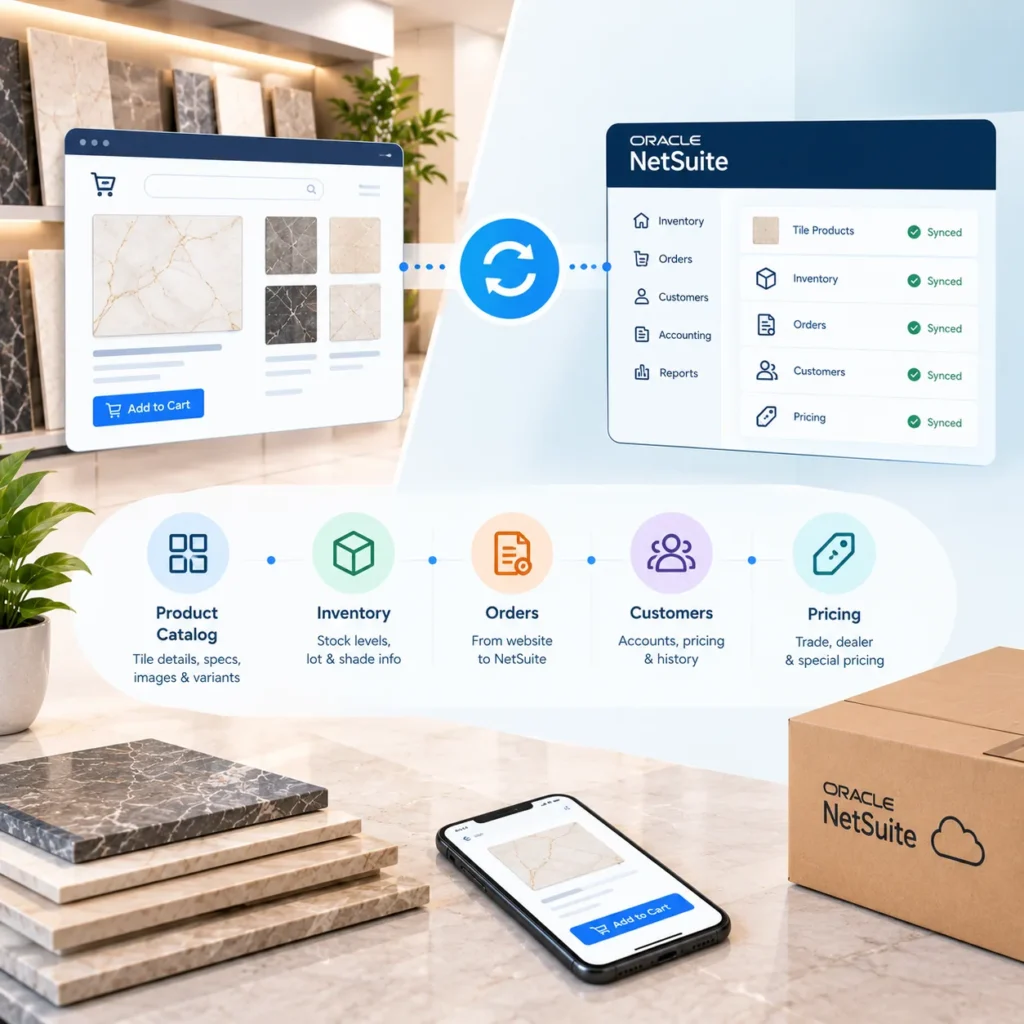
A NetSuite ecommerce integration automatically moves data between NetSuite and your online store, so products, stock, prices, customers and orders match in both places without manual entry. Orders and customer records usually travel into NetSuite, while items, inventory, prices and shipping updates travel back out to the store.
Oracle lays out that same two way flow in its NetSuite Connector documentation. For a tile seller, it’s a starting point rather than the finish line.
What Data Should Sync Between NetSuite and Tile Ecommerce?
The table covers standard flows, with tile notes in the last column. The troublesome ones get more detail below.
| Data | Direction | Typical Timing | Tile Consideration |
| Item records and attributes | NetSuite to store | On change | Size, finish, PEI rating, thickness, coverage per box |
| Inventory by location | NetSuite to store | Every few minutes | Sellable lot quantities, not raw totals |
| Price levels | NetSuite to store | On change | Retail, contractor and dealer tiers |
| Customer accounts | Both ways | On creation or update | Tax exemptions, credit terms, trade status |
| Sales orders and payments | Store to NetSuite | Near real time | Box units, lot preference, sample lines |
| Fulfillments and tracking | NetSuite to store | On shipment | Pallet counts and freight carrier |
| Returns and refunds | Store to NetSuite | On approval | Breakage kept apart from standard returns |
1. Inventory Sync by Shade Lot and Caliber
Why would “40 boxes in stock” be a misleading number? Because nobody installs 26 boxes from one lot next to 14 from another and gets a floor they’re happy with.
What your store publishes should be the largest quantity available in a single shade lot, or at minimum a warning when the order would cross lots. NetSuite can already track lot numbered items. The integration has to read those lot level figures instead of the item total, and the same rule applies to caliber on rectified tile. When stock is spread across a plant warehouse and a couple of depots, an inventory management solution that records lots and bins properly makes life much easier, since the store can only show what the back end tracks cleanly.
2. Units of Measure: Boxes, Pieces and Pallets
Take a 12×24 porcelain packed 8 pieces to a box, 16 sq ft per box, 40 boxes to a pallet.
In NetSuite, that item gets a single units type through the Multiple Units of Measure feature: piece as the base unit, a box defined as 8 pieces, a pallet as 320. A buyer who needs 450 sq ft should be shown 29 boxes (464 sq ft), because your calculator ought to round up, never down, and the order line should reach NetSuite as 29 boxes rather than a fractional square foot figure.
Oracle’s help center is blunt on one point. Once an item has a units type, you can’t switch it to another type later; you can only add units. Get coverage values wrong at import and you’re rebuilding items, not editing them.
3. Tile Product Variants, Trims and Samples
Variant structure is where catalog teams argue longest. A 12×24 in matte, polished and lappato could live as three children under one matrix parent in NetSuite, or as three standalone items. Either approach works. Switching halfway through doesn’t, and our piece on managing complex tile product variants covers how that choice plays out on the storefront.
Trims and samples are smaller calls that people forget:
- Bullnose, pencil liners and matching mosaics should sync as related items, so the store can offer them right beside the field tile.
- Samples need their own SKUs and their own stock pool. Pull them from full box inventory and you’ll oversell inside a week.
4. NetSuite Pricing and B2B Trade Accounts
Retail buyers see list price; contractors and dealers shouldn’t. NetSuite price levels and customer pricing sync out to the store, and credit terms like net 30 come along with the customer record. Distributors whose dealers reorder against quotes often route that traffic through a B2B dealer management solution instead of the retail checkout, which keeps tiered pricing off the public storefront.
5. Ecommerce Orders, Freight, Fulfillment and Returns
Orders should land in NetSuite as sales orders carrying the customer, ship from location, tax code and lot preference. Freight deserves its own lines. A pallet shipping LTL with a liftgate fee and residential delivery is three separate charges, and folding them into one makes margin reports close to useless.
Returns split two ways, too. Cracked on arrival is a carrier claim. Wrong color choice is a normal return, possibly with a restocking fee. Keep those reason codes separate.
Common NetSuite Integration Problems in Tile Ecommerce
It’s rarely the connector. Usually it’s the data feeding it.
Coverage stored as text on the store (“approx. 15.5 sq ft”) but as a number in NetSuite means every order needs a human check. A few other gaps come up again and again on tile projects:
- Discontinued series stay live online because item status never syncs.
- Inventory updates run in 15 minute batches right through a contractor promotion, and lots oversell.
- Tax exemption certificates get uploaded on the store but never reach the NetSuite customer record.
- Nobody owns the sync error queue, so a failed order can sit for days before anyone notices it.
None of that is a technical limit. It’s planning.
How to Plan a NetSuite Ecommerce Integration
Six steps, in the order we’d tackle them on a tile project.
1. Define the System of Record for Each Data Type
Go field by field. NetSuite typically owns inventory, pricing, customer data and financials, while the store owns room scenes, lifestyle images and SEO copy. Most sync conflicts later trace back to a field nobody claimed.
2. Clean and Standardize Tile Product Data
Duplicate SKUs, sizes written three different ways (12×24, 12 x 24, 300×600) and missing coverage values all need fixing before mapping starts. Otherwise you just move the mess faster.
3. Map Units of Measure, Shade Lots and Warehouse Locations
Confirm units types and conversions per product family, decide how lot quantities show online, and agree which warehouse feeds which channel.
4. Set the Right Data Sync Frequency
Inventory and orders need near real time updates. Product descriptions? Daily is fine. Keeping frequency sensible also keeps you clear of NetSuite’s concurrency limits.
5. Test Real-World Tile Ecommerce Orders
Skip the easy ones. In the sandbox, run a mixed lot order, a sample plus full boxes, a trade buyer on net 30 and a partial pallet. Our ERP integration checklist lists more cases worth covering.
6. Assign Integration Monitoring and Support Ownership
Someone has to watch the error log from day one. Weekly reviews for the first couple of months usually catch mapping gaps before customers do.
NetSuite Connector vs. Middleware vs. Custom Integration
It depends on scope, and the honest answer isn’t always “build custom.”
| Approach | Good Fit | Where It Struggles |
| Prebuilt connector (NetSuite Connector, Celigo) | Retail stores on Shopify or similar with simple pricing | Lot selection, coverage based ordering, dealer workflows |
| Middleware | Sellers on several channels who want one place to manage flows | Still needs tile logic configured by hand |
| Custom build (SuiteTalk REST, SuiteScript) | Multi warehouse distributors with trade pricing and lot rules | Higher upfront cost and ongoing support |
Frankly, a single showroom with 300 SKUs probably doesn’t need a custom build. A distributor running a tile ecommerce solution alongside a dealer portal and three warehouses usually does. And if you’re still deciding whether integration earns its cost at all, start with why your tile ecommerce store needs ERP integration.
Ready to Connect NetSuite and Your Tile Store?
If your team still rekeys orders, sorts out lot mixups over the phone or updates dealer prices in two places, the current setup is costing more than it should. Tile IT Solutions maps NetSuite to tile ecommerce the way your warehouse actually runs, boxes, lots and trade pricing included.
Request an integration assessment and we’ll review your setup, flag the data gaps and recommend an approach that fits your catalog.
FAQs
1. What data should sync between NetSuite and a tile ecommerce store?
Items, inventory by location and lot, price levels, customers, orders, payments, fulfillments and returns. Tile stores also need coverage per box, shade lot and caliber.
2. Can NetSuite sell tile by the box and by the square foot?
Yes. Multiple Units of Measure lets one item use different stock, purchase and sale units. Set the units type carefully, since it can’t be changed later.
3. Does NetSuite inventory sync in real time?
It can. Many prebuilt connectors sync on schedules instead, so check the interval before launch.
4. How long does the integration take?
That depends on scope. A standard connector moves quicker than a custom build with lot logic and multiple warehouses. Data cleanup is usually the slowest part.
5. Is a custom integration always necessary?
No. Small catalogs with simple pricing often do fine on a connector. Custom work pays off once shade lots, dealer pricing or several locations drive your orders.