Ask ten tile retailers whether they need a 2D or a 3D visualizer and you’ll get ten confident answers. Maybe two are backed by data. The rest come from gut feel, or whatever the last vendor demo looked like.
So here’s where we land. A 2D tool, where a shopper drops tile onto a flat photo, usually wins on product pages. 3D earns its keep on big, fiddly projects. Plenty of stores end up running both. Our product visualization solution covers 3D, AR and room photo tools, so nobody has to bet on one format before they’ve seen real shopper behavior.
2D vs 3D Tile Visualizers: What’s the Difference?
Both exist to answer one nagging question: will this tile look right in my room? That’s where the similarity ends. They ask very different things of the shopper, and of your team.
How a 2D visualizer works
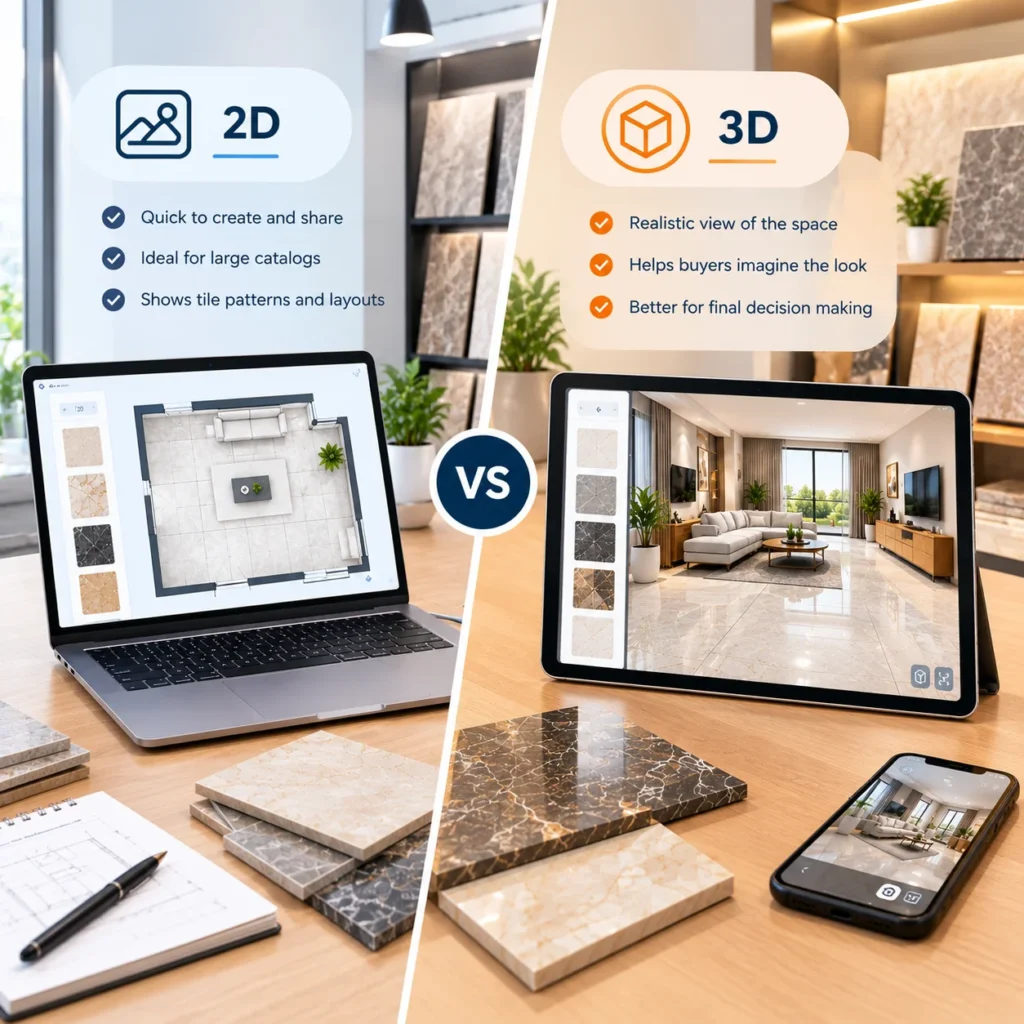
The shopper picks a room scene or uploads a photo of their own, and the tool paints tile across the floor or wall. Grout width, pattern and scale are adjustable. It loads fast. Catalog prep stays light because you’re mostly reusing texture files you already have. Most people get an answer in under a minute.
How a 3D visualizer works
Here the room is modeled with real depth. Shoppers spin the view, change the lighting and tile several surfaces at once. AR lives in this family too, since it projects tile into the actual room through a phone camera. The catch is production time. Every tile needs a properly scaled texture, and every room needs building. New to all this? Our explainer on what a tile visualizer is and how it works covers the basics.
| Factor | 2D visualizer | 3D visualizer |
| Setup effort | Light | Heavy |
| Time to an answer | Under a minute | A few minutes |
| Best fit | Product pages, mobile shoppers | Full room projects, designers |
| Main weakness | Flat lighting and depth | Slower and costlier to scale |
Do 2D or 3D Tile Visualizers Convert More Buyers?
Less than the sales decks suggest. Nobody has published a clean, head to head test of 2D against 3D for tile, and anyone quoting one should be asked for the source.
The numbers worth knowing
What does exist is vendor reported results from photo based tools. Roomvo says Topps Tiles saw 3.7 times the sample conversions among shoppers who used its visualizer. Flooringsupplies.co.uk reported visitors were 2.7 times more likely to convert. The Tile Shop claims a lift of roughly 5X in online purchases.
How to read them
Treat those multiples as a ceiling. Someone who opens a visualizer is already half sold, so part of that lift is simple self selection. Still, notice the common thread. All three tools let shoppers work with a photo of their own room. That’s a feature, not a dimension.
We also publish a figure of up to 40 percent fewer returns on our visualization page. That’s about returns, not first click conversion, and it varies with how closely your renders match the real tile.
When Does a 2D Tile Visualizer Work Best?
Speed. A product page is where a shopper is mid decision, usually on a phone, often with a competitor open in the next tab.
A good 2D tool answers before that other tab does. It loads quickly even on a shaky mobile connection. A photo of the shopper’s own bathroom feels like their project, not a demo. It scales across thousands of SKUs without a modeling bill, and it sits right beside the sample order button.
One warning. A flat overlay can’t fake shadow or depth, so a dark porcelain may look duller than it will on the floor. Tell buyers that in the interface. They’ll forgive a caveat, not a surprise on delivery day.
When Is a 3D Tile Visualizer the Better Choice?
Bigger rooms, bigger budgets, more opinions in the decision.
Picture a couple redoing a 90 square foot bathroom in Manchester. Floor tile, shower wall, a niche, a feature strip behind the vanity. Four choices that all have to get along. A flat photo can’t show how the niche tile meets the wall at an angle. A 3D room can. They rotate it, swap pairings and send the scene to their tiler. That’s where the extra build cost pays itself back.
Trade buyers push these tools harder still, which we unpack in our post on tile visualization challenges for interior designers. And AR sits at the far end of the range. Pointing a phone at the real floor settles the last doubt, so our piece on how tile brands use AR visualizers to boost sales treats it as the closer, not the opener.
How to Choose Between 2D and 3D Tile Visualization Software
Start with average order value and where your traffic comes from. Forget the technology for a minute. Those two numbers usually settle it.
- Mostly mobile traffic, big catalog, modest orders: 2D with photo upload.
- Project sales, trade buyers, showroom tablets: lean 3D.
- A bit of everything: 2D on product pages, with a deeper 3D planner for the shoppers who ask for it.
The hybrid isn’t a cop out, by the way. Shoppers don’t all want the same depth. Let the quick tool handle quick decisions.
Take a Shopify store with 3,000 SKUs and mostly mobile visitors. Building 3D models for every tile would eat months, and most of those shoppers just want to know if a grey porcelain suits their hallway. A showroom in Leeds selling full kitchen and bathroom packages has the opposite problem. Its customers arrive with a designer, a budget and a floor plan. Same technology question, completely different answer. That’s why a blanket “3D is better” claim should make you suspicious.
How to Test a Tile Visualizer Before Investing
Skip the big bang launch. A small pilot tells you more than any vendor deck, at a fraction of the cost.
Take your 40 best selling SKUs and put a 2D photo tool on those pages for a month. Watch three numbers: visualizer opens, add to cart from those sessions, and returns on the same products. High opens but flat orders? That’s usually button placement or weak renders, not the format. Shoppers repeatedly asking for a bathroom with several surfaces? Now 3D is worth scoping. Let real behavior make the call. And write down your baseline before launch, or you’ll never know what the tool actually changed.
Common Tile Visualization Mistakes That Hurt Conversions
Format aside, a few avoidable slip ups sink more visualizers than any technical limit ever will.
Hiding the button is the classic. If “see it in your room” sits below the fold on mobile, most people never find it. Then there’s the disconnected tool. One that doesn’t know your live SKUs, prices and box coverage leaves shoppers guessing quantities, and guessing ends in abandoned carts.
Sloppy renders hurt quietly. Wrong grout color or wrong scale, and buyers stop trusting the thing within seconds. Need the business case for your team? Our overview of the benefits of tile visualizers for online stores lays it out.
Which Visualizer Fits Your Catalog?
Not sure where your store lands? Talk to the Tiles IT Solutions team with your SKU count, traffic mix and typical order size, and we’ll tell you plainly whether 2D, 3D or a blend makes sense.
FAQs
1. Is a 2D or 3D tile visualizer better for conversions?
For product page conversions, 2D with photo upload usually wins on speed and reach. For large remodels, 3D tends to close more deals. Published results come from vendors, so test on your own traffic.
2. Is AR the same as 3D?
Not quite. AR places a tile model into the live camera view of a real room. A 3D visualizer builds a fully modeled virtual room. Both use 3D assets, but shoppers experience them differently.
3. How much more does 3D cost than 2D?
It depends on catalog size and how many rooms need modeling. Expect noticeably more per SKU. Ask for a scoped quote, not a ballpark.
4. Do tile visualizers reduce returns?
Usually. Buyers who’ve seen tile at scale in a room get fewer nasty surprises. The size of the drop varies by catalog.
5. Can one store run both 2D and 3D?
Yes. Many stores put a quick 2D tool on product pages and offer a 3D planner for bigger projects, both fed by the same product data.